Playbooks
How to price automation services: setup fees, retainers and AI pass-through
How to price automation services as an agency: a build fee by complexity tier, a monthly care retainer, AI usage passed through at cost, and a worked quote.
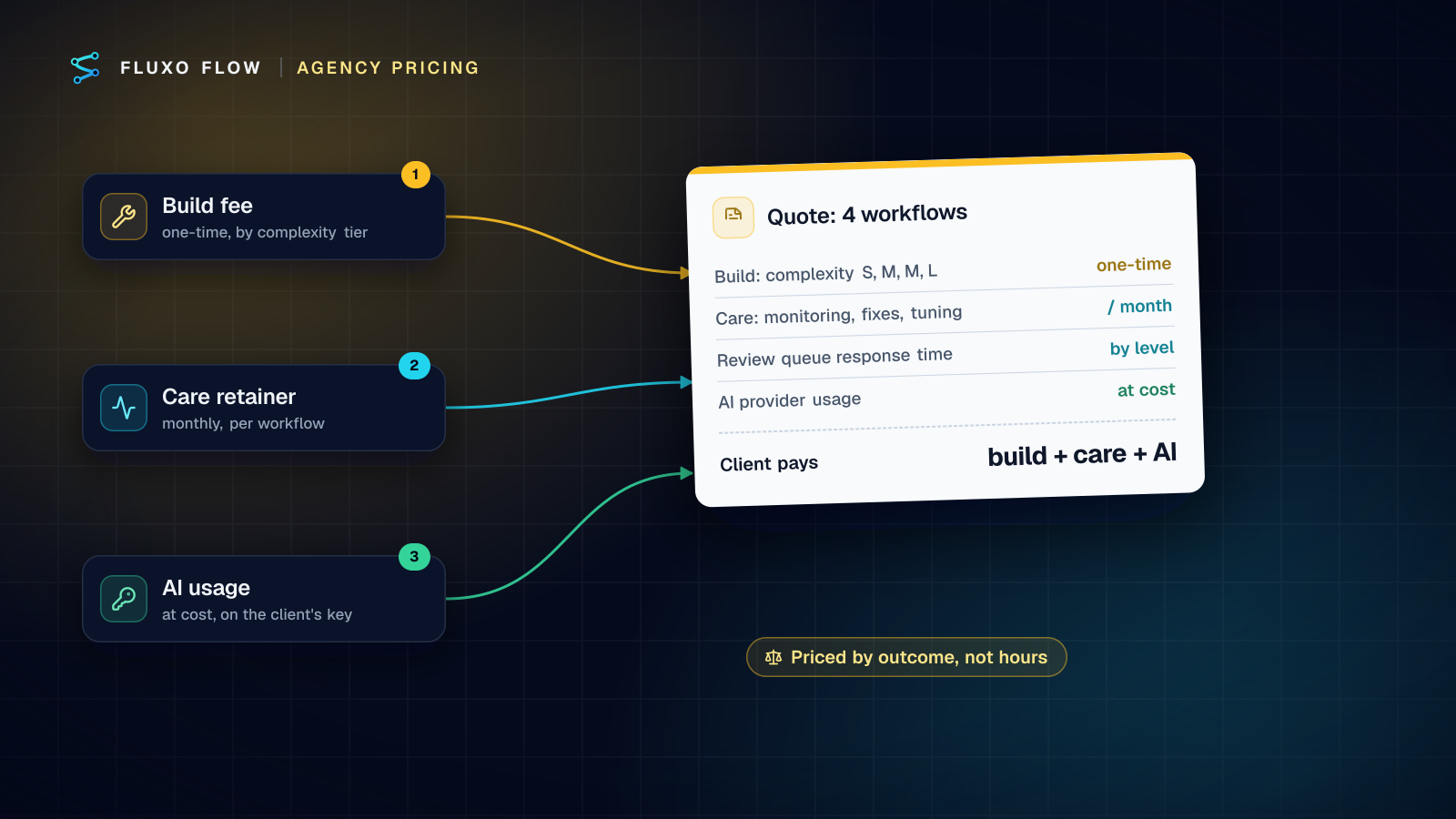
Short answer: price automation services in three parts. Charge a one-time build fee set by a complexity tier (how many steps, integrations, AI and approval steps, and how messy the edge cases are). Charge a monthly care retainer per workflow for monitoring, fixes, tuning and a response time on approvals. And pass AI usage through at cost, ideally on the client's own provider key so the provider bills them directly. Track your hours privately to check margins, but don't sell hours.
Most advice for agencies is a number: "charge $X,000 per build." That ignores the two things that make automation different from a website project: the work keeps running after you hand it over, and AI usage is a variable cost that belongs to the client. Below is the model we'd use, a rubric for sizing builds, what "care" should include, and a worked quote for a four-workflow client. There are no market-rate statistics here, because we haven't found a survey worth citing; the numbers in the example are placeholders you replace with your own.
Why hourly pricing fails for automation
Hourly billing punishes the exact thing clients pay you for. The more templates, patterns and experience you bring, the fewer hours a build takes, and the less you earn. It also frames the conversation around your time instead of the outcome: "you saved us a day a week" is a better basis for a fee than "it took me 14 hours".
There's a second problem: automation keeps running. A workflow built in March still needs someone in July when an API changes, a prompt drifts or the client's process shifts. Hourly billing turns that into a series of small, annoying invoices. A retainer turns it into a service.
The three-part model
| Part | When it's billed | What sets the price | What the client gets |
|---|---|---|---|
| 1. Build fee | Once, per workflow (50% upfront is common) | Complexity tier from the rubric | A tested workflow, documentation and a handover call |
| 2. Care retainer | Monthly, per workflow | Care level (response times, tuning) | Monitoring, fixes, small changes, review-queue response time |
| 3. AI usage | Monthly, at cost | The client's actual provider usage | Transparent model costs with no markup |
Keeping AI separate is the key design choice. AI usage scales with volume and model choice, both of which the client influences. If you bundle it into a flat fee, a busy month eats your margin; if you mark it up silently, you're one invoice comparison away from losing trust.
The complexity rubric
Score each workflow on six factors, add the points and read off the tier.
| Factor | 0 points | 1 point | 2 points |
|---|---|---|---|
| Steps | Up to 5 | 6 to 12 | More than 12 or a loop |
| Integrations | Ready-made, live connectors | Beta connectors or one custom API | Several custom APIs or undocumented systems |
| AI steps | None | One, with a fixed output format | Several, or an agent that calls tools |
| Human review | None | One approval step | Several approvals or assignments |
| Exceptions | Clean, predictable inputs | Some messy inputs | Many edge cases, free text, attachments |
| Stakes | Internal only | Writes to client systems | Customer-facing or money |
Tiers: 0 to 2 points = S, 3 to 5 = M, 6 to 8 = L, 9 or more = XL (scope it as a project with a discovery phase).
Attach a build-hour range to each tier from your own history. If you don't track that yet, start tracking now; your second month of data will tell you more than any guide.
Two notes from experience. First, the "Exceptions" row is where estimates go wrong; ask for 20 real examples of the input before you quote. Second, the "Stakes" row isn't about effort alone: a workflow that touches money deserves more testing time and a human approval step, and the client should pay for that safety.
What "care" includes
The retainer is the part clients undervalue until something breaks, so write down what it covers. A useful set of levels:
| Basic | Standard | Priority | |
|---|---|---|---|
| Failed-run check | Weekly | Every business day | Several times a day |
| Fix time for failures | Within a week | Next business day | Same business day |
| Prompt and threshold tuning | On request | Monthly review | Monthly review plus ad hoc |
| Review-queue response | Not included | Next business day | Within hours, business days |
| Small changes per month | None | One | Two |
| Monthly report | No | Short summary | Summary plus recommendations |
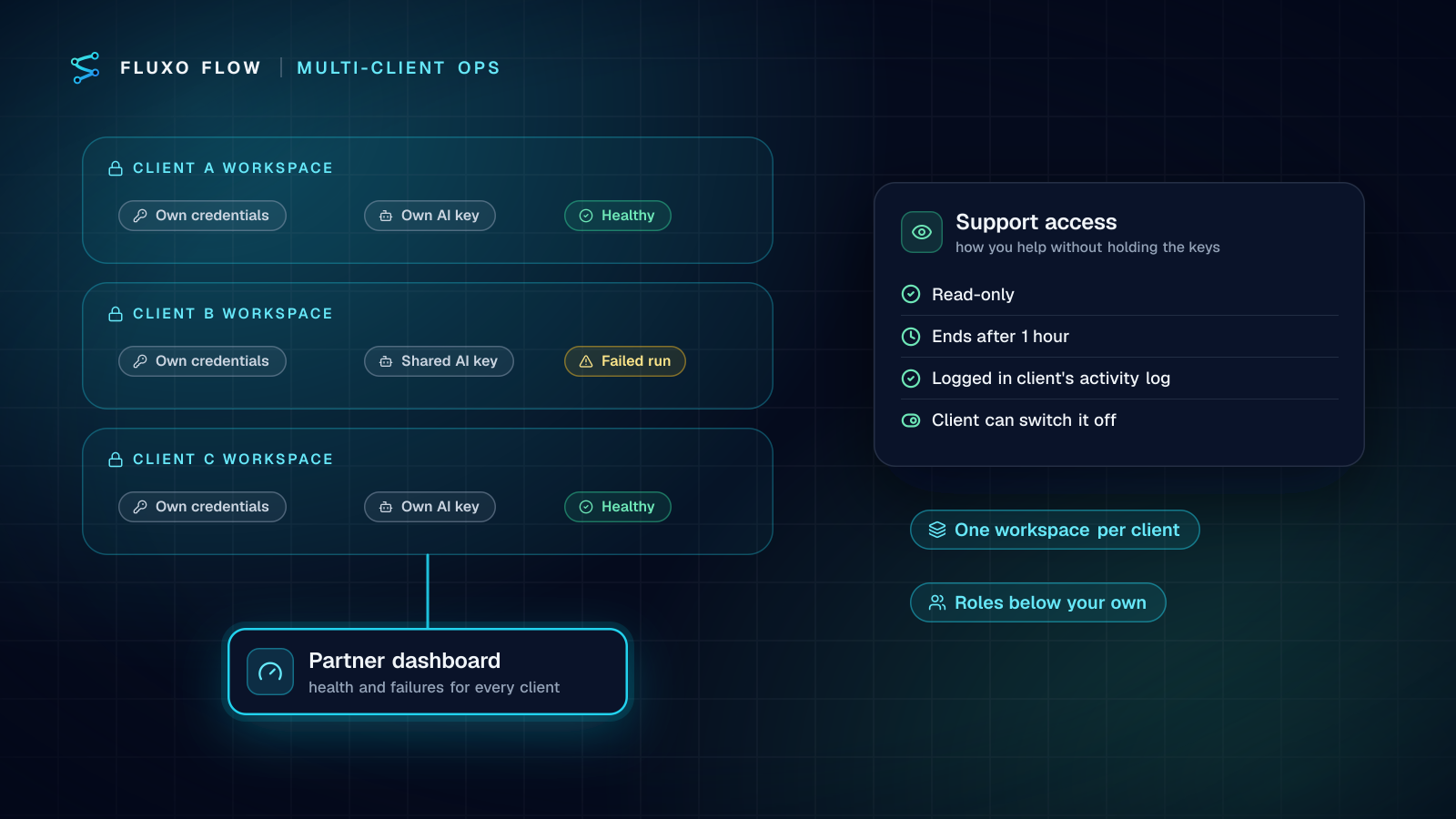
Make it concrete with the tools you use. In Fluxo Flow, a scheduled or webhook run that fails sends an in-app notification, and the run history shows every step's input, output, duration and estimated AI cost, which is what your monthly report is built from. See run history and observability. If you run several clients, our multi-client operations checklist covers who gets alerted and how.
Review-queue response deserves its own line. If a workflow pauses for approval (a drafted email, an invoice over a threshold), someone has to decide. Agree whether the client's team approves (on Fluxo Flow you can give them the Support Agent role, which can decide reviews without editing workflows) or whether you do it on their behalf, and at what speed.
Passing AI costs through
There are two clean ways to handle AI usage:
- The client brings its own key. The client opens an account with OpenAI, Anthropic, Google or another provider, adds the key to their workspace, and the provider bills them directly. You never touch the money. This is the simplest option and the one we recommend.
- You use a shared key and re-bill. Faster to set up, but now you're carrying the cost and the risk. Report usage monthly from the run history's per-step cost estimates and re-bill at cost, or with a disclosed handling fee.
On Fluxo Flow, every AI step runs on a bring-your-own key, so there are no AI credits to resell, and we add no markup. On the Partner plan you can set one shared key that client workspaces fall back to, and any client can add its own key, which then takes priority. A server run also stops when its estimated AI cost reaches $2, which caps the damage from a runaway loop on anyone's key. Our bring-your-own-key cost guide shows how to estimate per-run AI cost before you quote.
Worked quote for a four-workflow client
A client wants four workflows, each starting from one of our templates. The rate below ($150/hour) and the hour estimates are placeholders; use your own. We add a 20% buffer to build estimates for testing and handover.
Build fees (one-time):
| Workflow | Tier | Est. hours | Build fee |
|---|---|---|---|
| Lead qualification to CRM | M | 12 | $2,150 |
| Invoice extraction and approval | L | 24 | $4,300 |
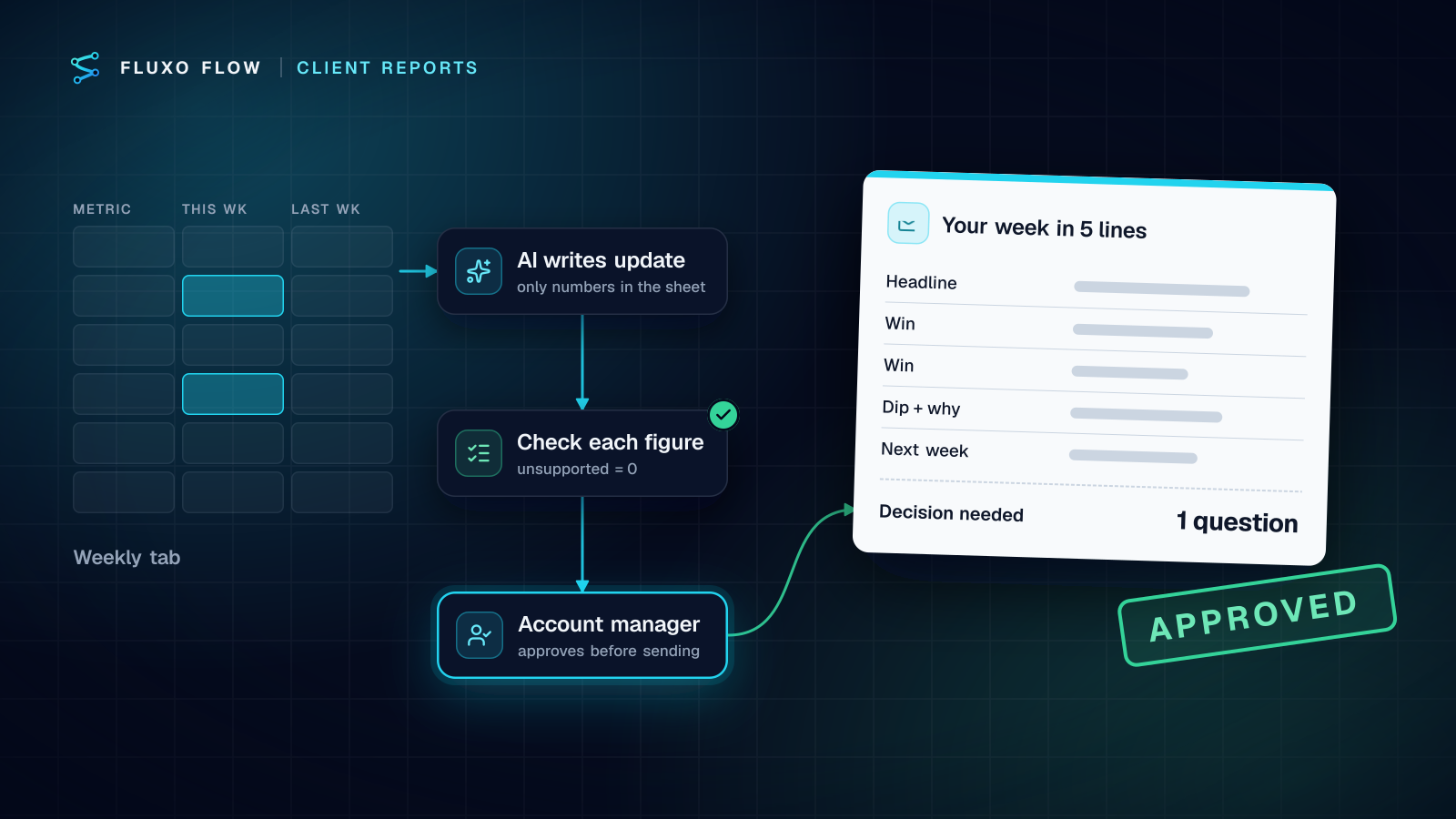
| Weekly client report | M | 12 | $2,150 |
| Daily ops digest | S | 5 | $900 |
| Total | $9,500 |
Care retainer (monthly):
| Workflow | Care level | Est. hours / month |
|---|---|---|
| Lead qualification to CRM | Standard | 1.5 |
| Invoice extraction and approval | Priority | 3 |
| Weekly client report | Standard | 1.5 |
| Daily ops digest | Basic | 0.5 |
| Total | 6.5 hours ≈ $1,000 |
Platform. Four workflows fit a direct Basic plan ($39/mo) in the client's name, so the monthly line is $1,000 care + $39 platform = $1,039/month. On a white-label plan, you'd include your wholesale workspace cost instead (for example $31/month for a Basic-level client workspace beyond the included ones). Our white-label cost guide shows when that pays off.
AI usage. At cost on the client's own key, billed by their provider.
Present it as three numbers: one-time $9,500, monthly $1,039, AI at cost. Then attach the scope: which inputs, which systems, what counts as a change.
Contract clauses to include
This isn't legal advice; have a lawyer review your template. These are the clauses we'd want in any automation services agreement:
- Scope of change. Define a "small change" (a new field, a reworded prompt, a new destination) versus a new workflow (a new trigger, a new system, a new approval path). New workflows get quoted.
- Approvals are the client's decisions. When a workflow pauses for human review, the person who approves owns that decision. Say who that is.
- Data responsibilities. Which data the workflows process, which AI providers see it, and whose provider terms apply (with per-client keys, the client's agreement with its provider governs). Exclude data you can't handle; for example, don't put card data or health records through general-purpose automation.
- Third-party changes. APIs change and vendors have outages. Fixing those is care work, not a warranty claim, unless the fix is large.
- Beta features. If a workflow relies on an integration the vendor marks as beta, say so in the scope.
- Handover and exit. What the client gets if they leave: workflow exports, documentation and a transition period.
The takeaway: sell outcomes in three clear parts, keep AI usage transparent and the client's own, and let your private hour tracking tell you whether each tier is priced right. If you're building an agency practice around this, the Partner program gives you a branded app, a workspace per client and wholesale prices to build your quotes on, and AI automation agency software shows the starter offers and how the agency model works on the platform.
Frequently asked questions
Should I charge hourly for automation work?
Rarely. Hourly billing penalizes you for getting faster and leaves the client with an open-ended meter. Price builds by complexity tier and ongoing care as a monthly retainer, and track hours internally to check your margins.
How do I charge clients for AI costs?
Pass them through at cost. The simplest way is to have each client use its own AI provider key, so the provider bills the client directly; if you use a shared key, report usage monthly and re-bill it without a markup or with a disclosed handling fee.
What should an automation retainer include?
Monitoring failed runs and fixing them, small changes within an agreed scope, prompt and threshold tuning, a response time for items waiting in the review queue, and a short monthly report of what ran and what changed.
Who pays for the automation platform subscription?
Either works. Clients who own their accounts pay the vendor directly; on a white-label plan you pay wholesale and include the platform in your monthly fee. Say which one in the proposal so nobody is surprised.
Put this into practice
Build it on the canvas and Dry Run it on the Free plan, with no credit card. Run it live on a paid plan, on your own AI key.
- agencies
- pricing
- AI costs
- BYOK