Playbooks
Speed to lead: automate the first response without sounding like a robot
Speed to lead automation done properly: what the HBR lead response research really found, a three-tier response design and a workflow that replies in minutes.
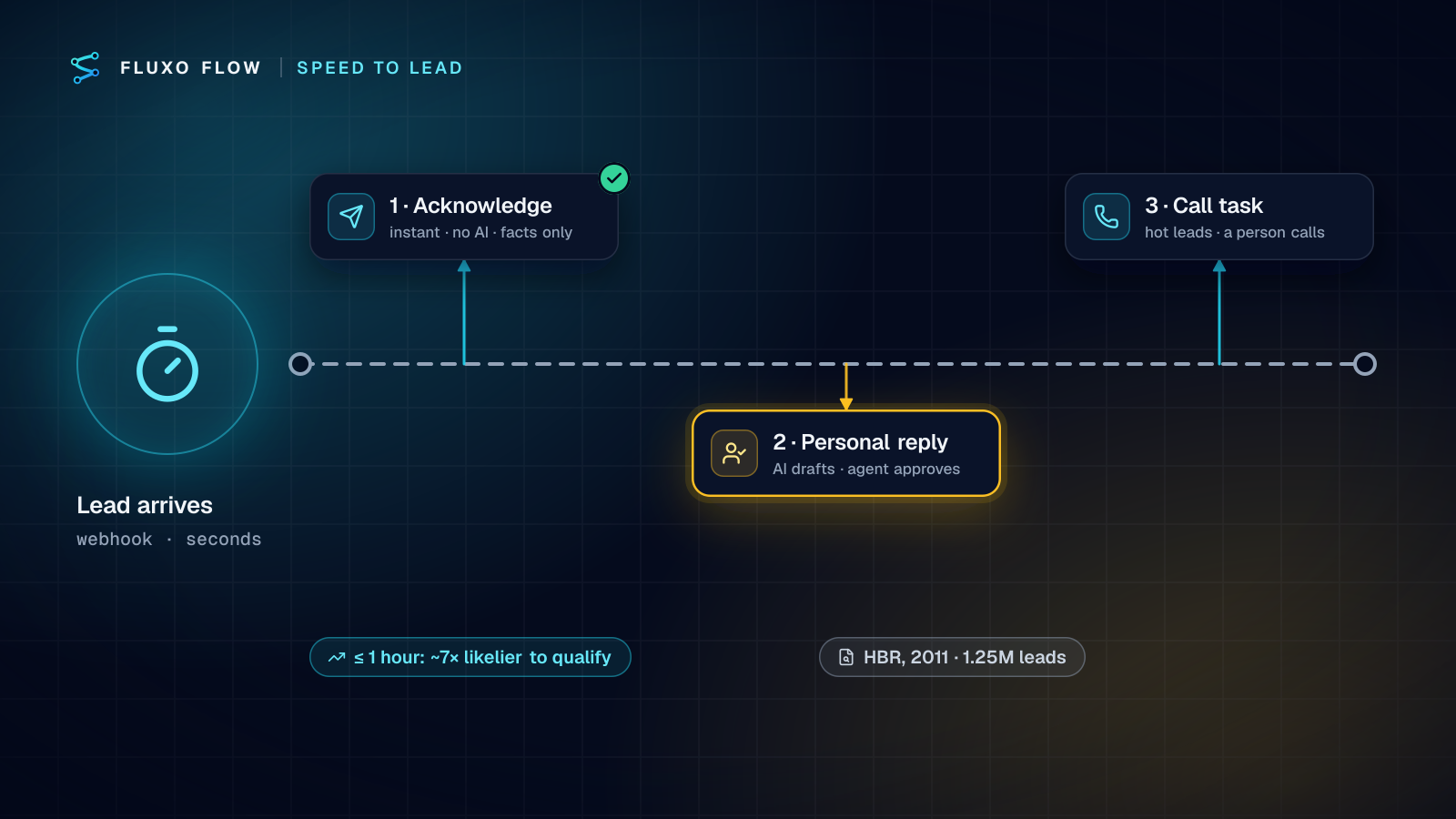
Short answer: speed to lead automation should send three different responses, not one. Tier 1 is an instant, factual acknowledgement with no AI in it, sent within seconds of the form. Tier 2 is a personal reply drafted by AI from what the lead actually wrote, approved by a person and sent within minutes during business hours. Tier 3 is a call task for hot leads, because some leads want a human voice. The research case for speed is real, but narrower than most blog posts claim, so the section below quotes it exactly.
What the research actually says (with caveats)
Almost every speed-to-lead article cites a statistic, and many cite them wrong. The primary source most of them trace back to is "The Short Life of Online Sales Leads" by James B. Oldroyd, Kristina McElheran and David Elkington, published in Harvard Business Review in March 2011 (HBR). It reports two separate studies:
- An audit of 2,241 U.S. companies, each sent a web-generated test lead. 37% responded within an hour, 16% within one to 24 hours, 24% took more than 24 hours, and 23% never responded. Among companies that responded within 30 days, the average response time was 42 hours.
- An analysis of 1.25 million sales leads received by 29 B2C and 13 B2B U.S. companies. Firms that tried to contact a lead within an hour were nearly seven times as likely to qualify it as those that tried even an hour later, and more than 60 times as likely as companies that waited 24 hours or longer.
Read it carefully and three caveats appear:
- "Qualify" had a specific meaning: the authors defined it as "having a meaningful conversation with a key decision maker." It's not a sale.
- The comparison is about hours, not minutes. The headline finding contrasts within an hour with later. Claims about five minutes, or about specific percentage lifts per minute, need their own source.
- It's correlational and dated. Companies that respond fast may differ in other ways too, and buyer behavior has changed since 2011. One author, David Elkington, was CEO of InsideSales.com, a sales technology vendor, at the time.
None of that weakens the practical point, which the study itself made: the companies that were slow often weren't slow on purpose. The authors list reasons like retrieving leads from the CRM "daily rather than continuously" and distribution rules based on geography and "fairness." Those are process problems, and process problems are what automation fixes.
The three-tier response design
The mistake I see most often is one fully automated AI email, sent instantly, that tries to be personal and either says something wrong or reads as a bot. Split the job by what each response is for:
| Tier | When | Written by | Approved by | Purpose |
|---|---|---|---|---|
| 1. Acknowledge | Seconds after the form | A template you wrote once | Nobody (it only states facts) | Confirm receipt, set expectations, give one useful link |
| 2. Personal reply | Minutes, during business hours | AI, from the lead's own words | The agent or rep | Answer their question, propose a next step |
| 3. Call | Same hour, hot leads only | n/a | n/a | A person calls; the workflow creates the task and the context |
Tier 1 contains no AI on purpose. It says what you know for certain: "We got your message about [property / service]. [Name] will reply personally by [time]. In the meantime, here's [one relevant link]." Merge fields come straight from the form. It can't hallucinate a price or a promise.
Tier 2 is where AI helps. It reads the inquiry, works out intent, budget, timeline and questions, and drafts a reply that answers what the person asked, in your voice. A person approves it, because a wrong answer to a direct question costs more than a few minutes' delay.
Tier 3 is for leads that signal urgency or high value. The workflow doesn't call; it makes sure a human does, with the context in front of them.
The workflow
The real estate inquiry response template implements tiers 2 and 3 already: AI qualifies the inquiry and drafts a reply, the agent gets an instant Slack alert, and the reply is emailed only after the agent approves it. Here's the full three-tier version, which fits any services business:
- Webhook trigger from your website form or listing portal. Use a webhook, not a polling trigger: app triggers that poll check on your plan's interval (every 15 minutes on Basic, 5 on Pro), while a webhook starts the run within seconds.
- Memory check on the email address and a Router to skip duplicate submissions within a day.
- Tier 1: Send Email with your fixed acknowledgement template, merge fields from the form only.
- AI Generate with a schema:
intent,budget,timeline,questions,hot(true/false with a reason),reply_subject,reply. - Validator for the schema. A failure skips the draft and alerts the agent to write one.
- Slack "Post a message" to the agent: who, what they asked, budget, timeline, why it's hot or not.
- Router on
hot. Hot leads get a HubSpot "Create a task" (call now, due within the hour) or your CRM's equivalent; everyone continues to the draft. - Tier 2: Human Review with the draft and the original inquiry in the prompt, assigned to the agent, high priority.
- Approved branch: send the reply (Send Email, or Gmail / Outlook send steps, both beta, so it comes from the agent's own address).
- Timeout branch: if nobody approves within your window, notify the team lead instead of sending. Never let a timeout send an unreviewed draft.
A tier 1 message you can copy
Here is the acknowledgement I start clients with. Every bracket is a form field or a fixed value, never AI output:
Hi [first name],

Thanks for getting in touch about [property address / service].
[Agent name] has your message and will reply personally by [time window,
e.g. "11 a.m. today" or "9 a.m. tomorrow"].

If it's urgent, call [office number].
In the meantime: [one link: the listing, your pricing page, or a booking page].

[Business name]
It's short, honest about timing, and gives the lead something to do. The "by [time]" line matters most: it turns the wait into a promise you keep, and it's the reason the personal reply doesn't have to be instant. Compute the time window with a Router on a business-hours field from your form tool, or keep two versions of the message (business hours and after hours) and pick one.
Prompt notes that keep replies human
- Give the AI two or three real example replies you've sent and liked. Tone follows examples better than adjectives.
- Tell it to answer the person's actual question in the first sentence, and to offer one concrete next step (two viewing times, a 15-minute call link).
- Forbid what it can't know: prices not in the listing, availability, legal, tax or financing advice. "If you're unsure, say [Name] will confirm."
- Keep it short. A personal reply that reads like a brochure undoes the point.
After-hours rules
Speed to lead is often lost overnight and on weekends, and that's where design choices matter most:
- Tier 1 always goes out, at any hour. It's factual and sets an honest expectation: "[Name] will reply personally tomorrow morning."
- Tier 2 drafts are prepared immediately but approved in the morning. The run waits in the Review Queue with its draft ready, so the agent's first ten minutes clear the overnight queue. Set the Human Review timeout long enough to cover a night or a weekend.
- Hot leads after hours are a business decision. Some teams post them to an on-call channel; others accept the morning. Decide it explicitly instead of letting the default decide for you.
Don't fake presence. An instant "personal" reply at 3 a.m. that pretends a person wrote it damages trust when the person shows up hours later and repeats questions.
Measuring response time from run history
You can't improve what you don't measure, and response time is easy to measure here because every step is timestamped:
- Tier 1 latency: time from trigger to acknowledgement. Should be seconds; if it isn't, your form isn't calling the webhook directly.
- Tier 2 latency: time from trigger to approval. This is your real speed-to-lead number, and it's mostly human time. The Review Queue shows what is still waiting.
- Approval-without-edits rate: how often the agent sends the draft unchanged. Rising means the prompt is good; falling means something changed (new listings, new questions).
Each run's trace shows when every step started and finished, and observability charts show volume and success over 7, 30 or 90 days. If tier 2 latency is the bottleneck, the fix is usually staffing the morning queue, not a better model.
Test before you go live
Dry Run the workflow with a few saved inquiries: a hot buyer, a vague question, a duplicate, an after-hours lead. Dry Run simulates every email and Slack message without sending anything and returns placeholder AI output, so you can walk the hot and not-hot routes and every Human Review decision (approved, rejected, timeout). Live runs need a paid plan; the Free plan builds and Dry Runs.
The takeaway
Respond instantly with facts, personally within minutes with a reviewed draft, and by phone when the lead is hot. That design captures the speed the research rewards without sending anything you'd regret.
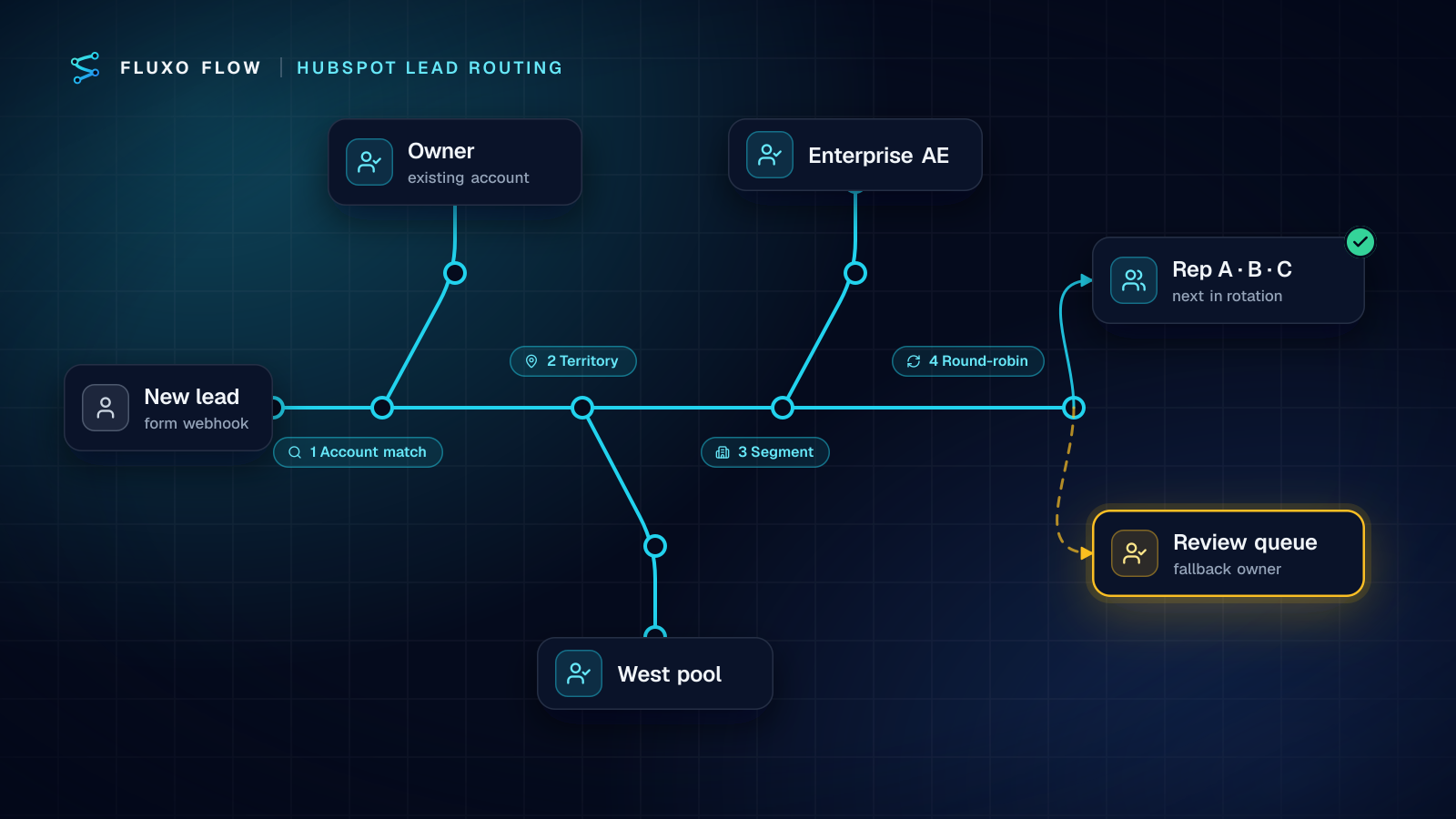
Open the inquiry response template and add the tier 1 acknowledgement in front of it. If you're routing leads to several reps, read HubSpot lead routing next, and for scoring which leads are hot, the AI lead qualification workflow. Other industries using the same pattern are on the industries page. If you build this for clients, response-time numbers make a strong line in the weekly client report, and pricing automation services covers how to charge for it.
Frequently asked questions
What is speed to lead?
The time between a prospect's inquiry and your first meaningful response. It's usually measured from form submission to the first reply or call.
Is the '5-minute rule' for lead response real?
The best-known primary source, the 2011 HBR study by Oldroyd, McElheran and Elkington, compared responding within an hour with responding later. Many '5 minutes' claims trace to other, often vendor, sources; check what was measured before quoting them.
Should the first reply to a lead be AI-written?
Make the instant reply a factual template with no AI, so it can't say anything wrong. Use AI to draft the personal follow-up, and have a person approve it before it's sent.
Put this into practice
Build it on the canvas and Dry Run it on the Free plan, with no credit card. Run it live on a paid plan, on your own AI key.
- sales ops
- lead qualification
- human review
- speed to lead